Getting Connected
We want your stay to be comfortable, relaxing, and easy. Part of that commitment it making sure you have a super fast wifi connection to surf, stream, and shop online. When you first try to connect to our wifi network you should be prompted to follow a few simple steps to receive your 30-day WiFi code. Sometimes, guests will run into technical issues when connecting and this help section should help ensure you can connect easily. After following the below steps if you still have an issue you can contact our WiFi technical team at BlueprintRF at 888-659-5902.
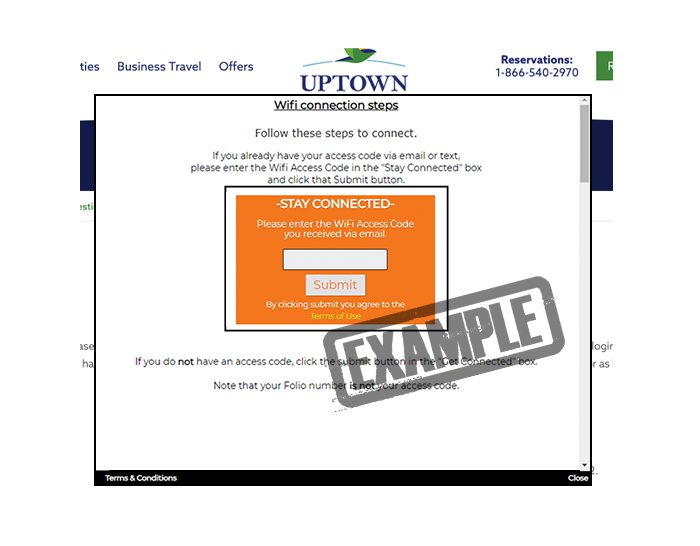 If you already have your access code, just enter the code in the “Stay Connected” box and click the Submit button. At that point you will be connected to our wifi network. This code will work for up to 30 days and you can request a new code as your stay extends.
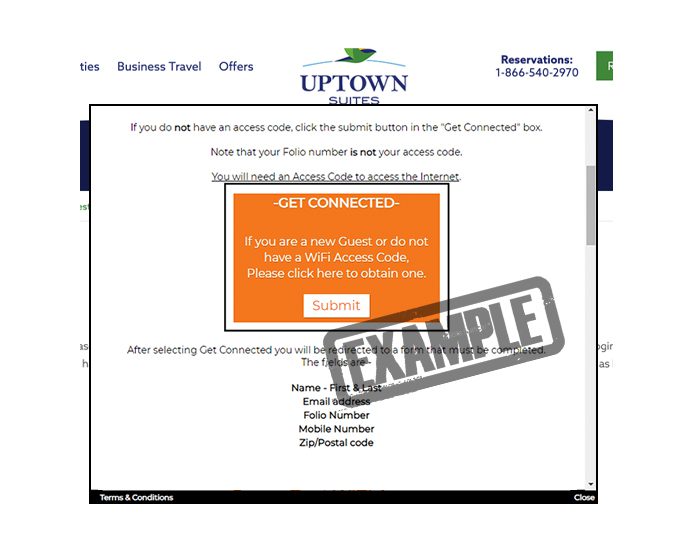 If you don’t have a WiFi code, that’s okay we can get you setup and connected. Just under the “Stay Connected” is a box for “Get Connected” Start by clicking Submit here and you will be redirected to a simple signup form.
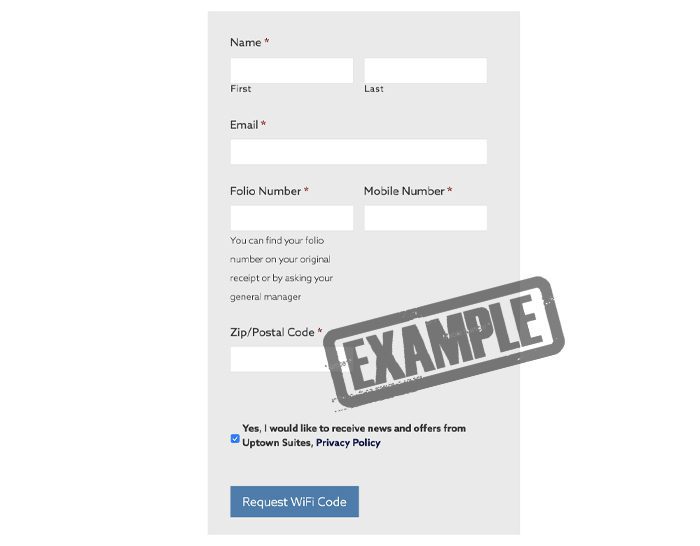 To request your wifi code you will just need to enter a few items, most of which will already be filled out for you:
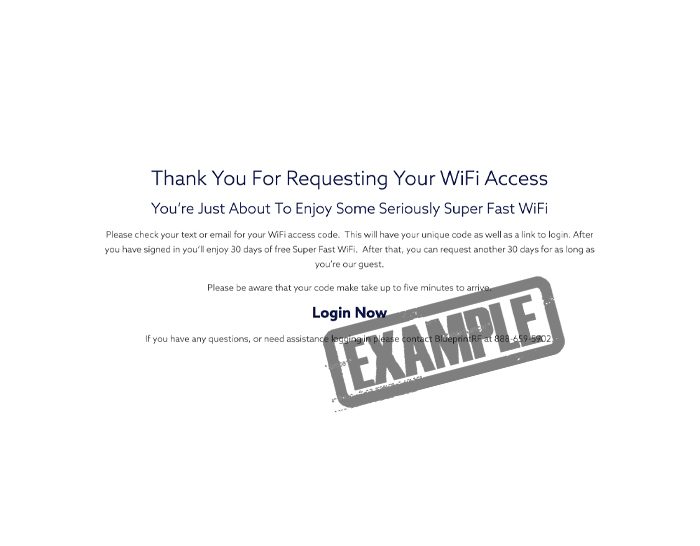 Congratulations, after submitting your request you will receive an email and a text with your unique WiFi login code along with instructions.
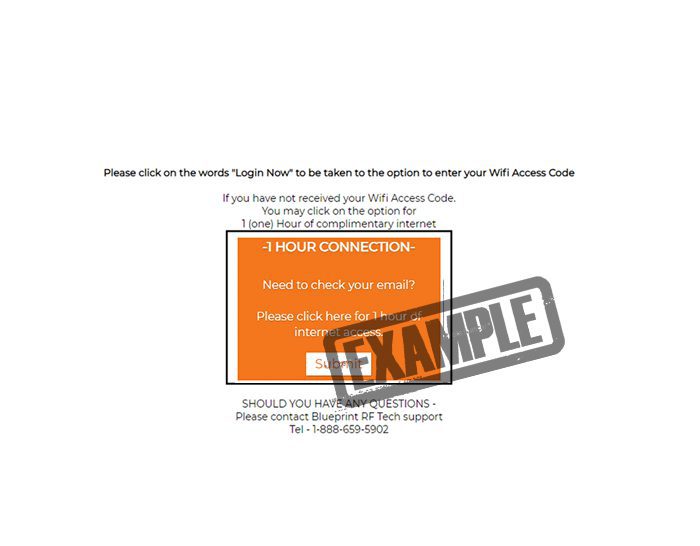 Run into an issue? We’re here to help. Sometimes glitches can take place preventing you from getting a code as fast as possible. We want to make sure you are not inconvenienced when these little issues pop up, so if you don’t get your code right way, you can return to the login page and opt to connect with the 1-Hour Connection. This will give you a free hour to connect at the same fast speed and give us a little time to we make sure you are able to connect permanently.